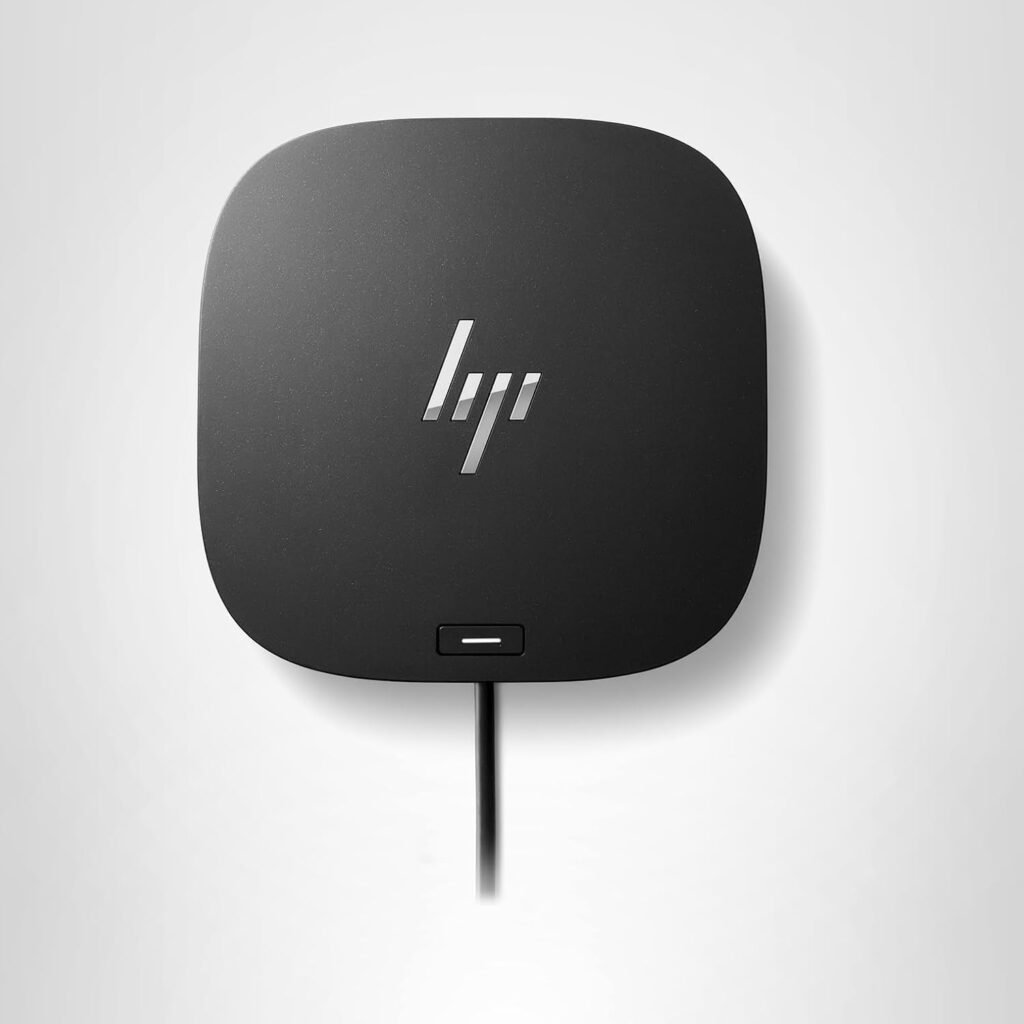
In the modern corporate and creative world, the concept of a “desk” has changed. We no longer want to be tethered by a dozen different cables every time we sit down to work. The dream is simple: one cable that handles power, displays, internet, and peripherals. The HP USB-C Dock G5 is the physical embodiment of that dream. Designed to be a universal solution for both HP and non-HP laptops, this docking station has earned its reputation as a workhorse in offices worldwide. In this in-depth review, we’ll explore why the G5 remains a top-tier choice for streamlining your workflow and reclaiming your desk space.
Design and Build: Compact, Quiet, and Professional
The first thing you’ll notice about the HP Dock G5 is its compact, square footprint. Unlike the long, horizontal docks of the past, the G5 occupies very little desk real estate. Its sleek, black chassis and rounded corners give it a modern, professional look that fits perfectly into any executive office or home setup.
Despite its small size, the G5 feels substantial. The rubberized base ensures it stays firmly in place, even when you have several thick DisplayPort cables plugged into the back. Furthermore, HP has engineered this dock with a focus on silent operation; even during heavy data transfers or when driving multiple high-resolution monitors, the unit remains virtually silent, ensuring your focus remains on your work.
Connectivity: A Port for Every Peripheral
The “G” in G5 could easily stand for “Generous” when it comes to ports. HP has packed an incredible amount of connectivity into this small box, strategically placing ports for both permanent connections and quick-access needs.
1. The Triple-Display Powerhouse
For many professionals, one screen is never enough. The HP G5 is designed for multi-taskers, featuring:
- Two DisplayPort 1.4 ports
- One HDMI 2.0 port This setup allows you to drive up to three displays simultaneously (depending on your laptop’s specifications). Whether you are managing complex spreadsheets, editing video timelines, or monitoring stock market fluctuations, the G5 provides the visual real estate you need with crisp, flicker-free performance.
2. High-Speed Data and Expansion
The dock features a mix of USB-A and USB-C ports to bridge the gap between your legacy devices and modern peripherals:
- Four USB-A 3.0 ports: Perfect for your keyboard, mouse, external hard drives, and printers.
- One USB-C port with Data and Power Out: Located on the front for easy access to charge your phone or connect a high-speed SSD.
- Combo Audio Jack: A convenient spot to plug in your headset for calls without reaching for your laptop.
3. Enterprise-Grade Networking
For those who demand the stability of a wired connection, the integrated RJ-45 Ethernet port supports Gigabit speeds. It also includes advanced features like PXE Boot, Wake-on-LAN, and MAC Address Pass-Through, making it a favorite for IT departments that need to manage a fleet of laptops remotely.
The Universal Appeal: Compatibility Beyond HP
One of the most common misconceptions about the HP G5 is that it only works with HP laptops. On the contrary, the G5 is designed to be universally compatible. It uses the industry-standard USB-C protocol, meaning it works flawlessly with:
- Apple MacBooks (Air and Pro models)
- Dell XPS and Latitude series
- Lenovo ThinkPads
- Surface devices and Chromebooks
This makes it the perfect “future-proof” investment. Even if you switch laptop brands next year, your HP G5 dock will likely remain a vital part of your setup.
Power Delivery: Charging Your Lifestyle
The HP G5 isn’t just a data hub; it’s a high-speed charger. Through the single USB-C cable that connects to your laptop, the dock delivers up to 100W of power (120W total system power).
This is more than enough to fast-charge most professional laptops, from the HP EliteBook to the MacBook Pro 14. This “single-cable” solution means you can keep your laptop’s original power adapter in your travel bag, ensuring you’re always ready for a meeting on the go without having to crawl under your desk to unplug cables.
Reliability and Performance: Zero-Lag Experience
In a professional environment, reliability is everything. A docking station that disconnects mid-presentation is a liability. During our extensive testing, the HP G5 showed remarkable stability.
- Video Stability: There was no flickering or resolution dropping, even when running dual 4K monitors.
- Peripheral Response: Mice and keyboards felt as responsive as if they were plugged directly into the laptop, with no detectable input lag.
- Wake-from-Sleep: One of the common issues with docks is the failure to wake external monitors when the laptop wakes up. The G5 handles this transition smoothly, with monitors coming to life almost instantly.
Software and Manageability: The HP Support Assistant
For users who want to keep their hardware in peak condition, the HP Support Assistant makes firmware updates for the dock incredibly easy. Unlike generic hubs that require manual driver hunts, the HP ecosystem ensures that your dock’s software is always optimized for the latest operating system updates (Windows 10, 11, and macOS).
Value Analysis: The Professional Standard
While the HP G5 carries a higher price tag than a basic “travel hub,” it is important to distinguish between a hub and a dock. A hub is for temporary use; a dock like the G5 is a permanent infrastructure for your productivity.
By investing in the G5, you are paying for:
- Safety: Advanced power management that won’t fry your laptop’s battery.
- Durability: A commercial-grade build designed for 24/7 operation.
- Versatility: The ability to run a full desktop setup from a single port.
When you calculate the time saved from not fumbling with cables and the increased productivity of a multi-monitor setup, the G5 often pays for itself within the first month of use.
Final Verdict: Is the HP USB-C Dock G5 the Right Choice?
The HP USB-C Dock G5 is a masterclass in functional design. It takes the complexity of modern connectivity and hides it inside a sleek, quiet, and powerful box. It is the ultimate tool for anyone looking to transform their laptop into a true desktop powerhouse.
Who should buy this?
- The “One-Cable” Minimalist: If you hate cable clutter, this is your solution.
- The Multi-Monitor Power User: Perfect for anyone running 2 or 3 screens.
- The Mixed-Device Household: Since it works with Mac, Dell, and Lenovo, it’s the only dock a family needs.
- The IT Manager: A reliable, manageable solution for a modern workforce.
In the world of professional docking stations, the HP G5 stands as a titan. It is reliable, universally compatible, and powerful enough to handle the most demanding workflows. If you want to spend less time managing cables and more time doing your best work, the HP G5 is an investment you won’t regret. It is, quite simply, the gold standard for the modern workspace.
 View on Amazon